Same conversation. A different agent picks up.
Claude Code ran out of usage, and Codex carried on in the same conversation. The goal, the context, where things stood — nothing had to be explained twice.
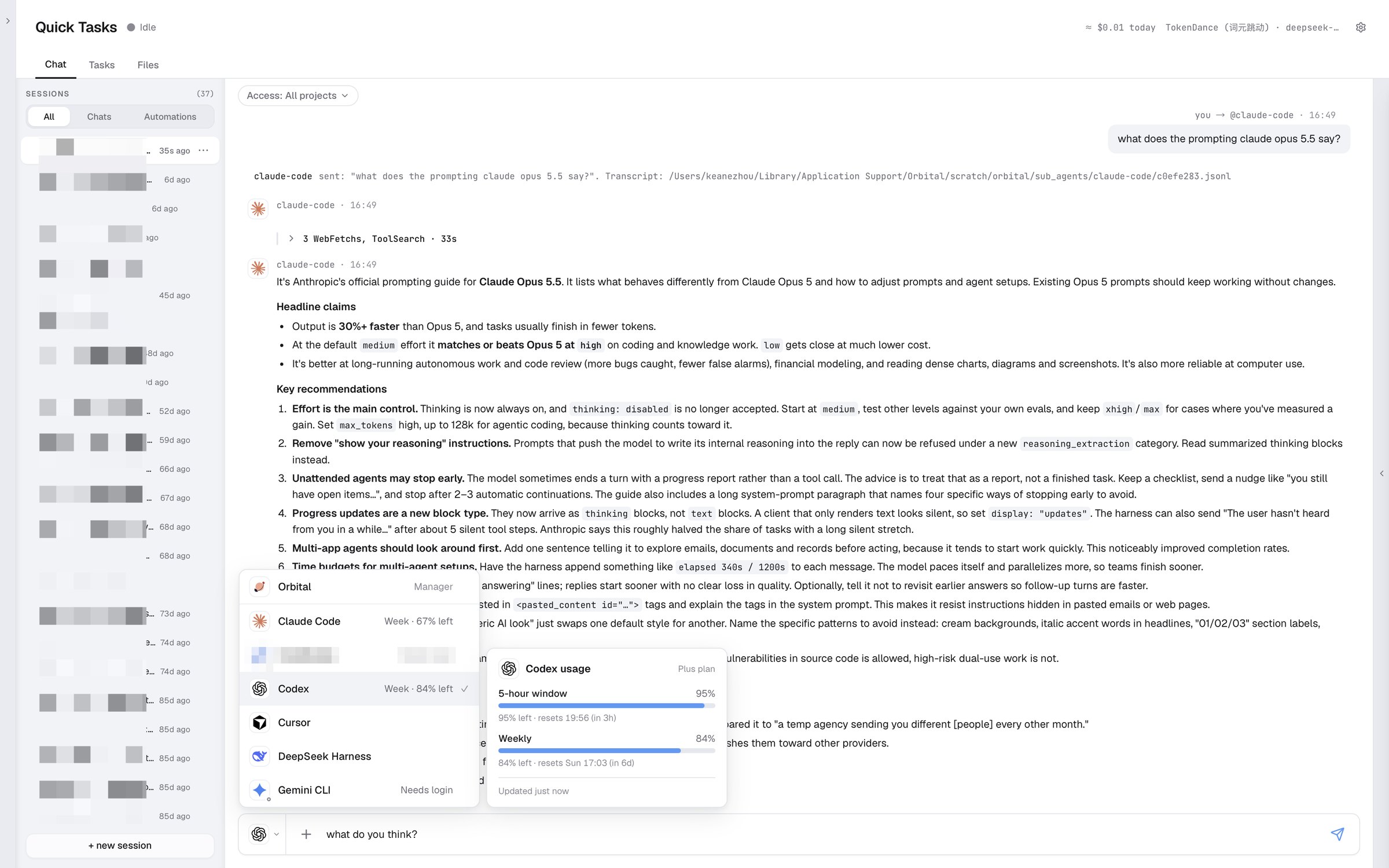
Context is yours. Agents are replaceable.
Orbital is a project agent. It maintains your project's context so every agent working on it shares the latest progress. It hands work to Claude Code, Codex and Kimi Code — and can do the work itself.
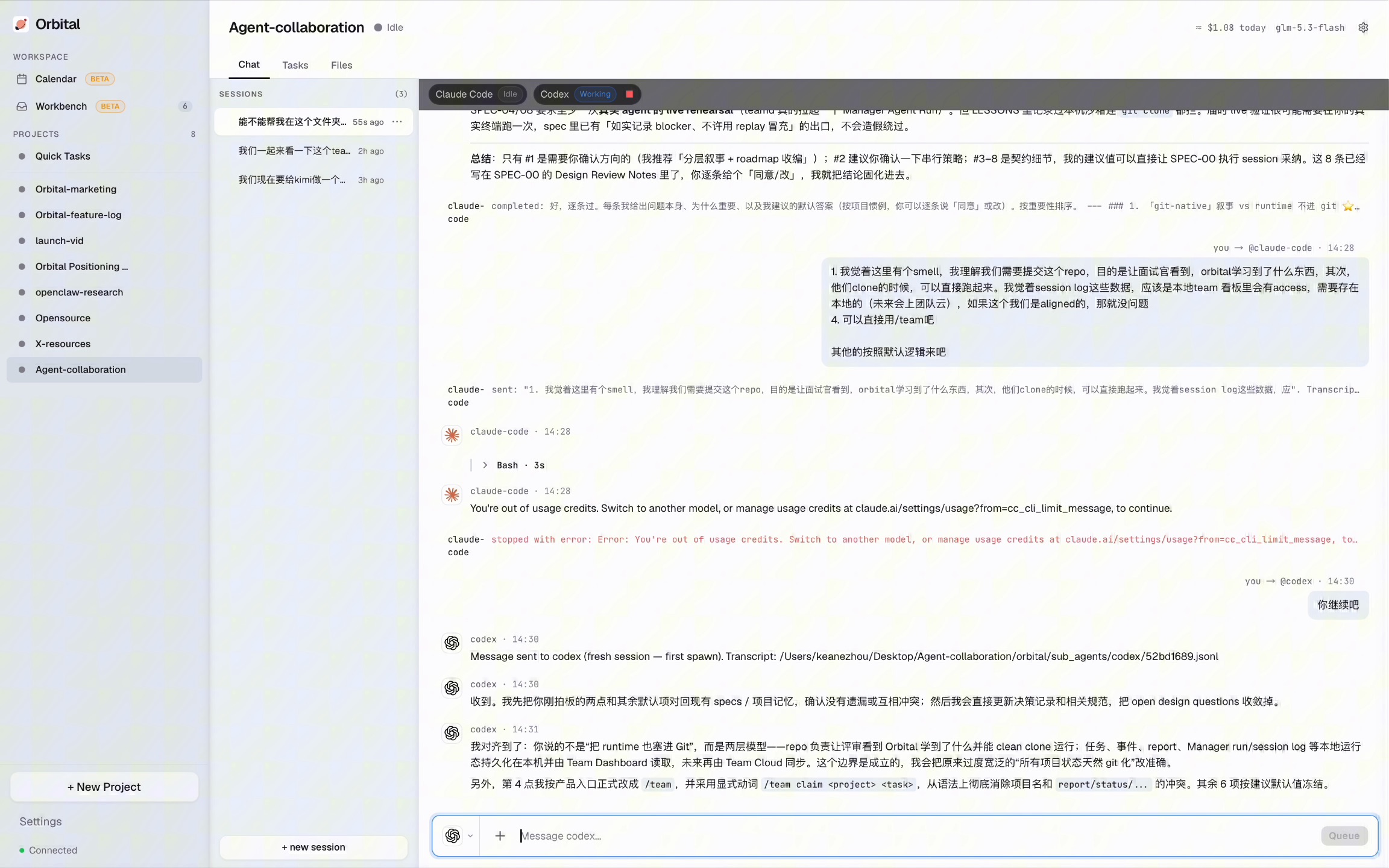
Claude Code ran out of usage. Codex picked up in the same conversation.
Works with the agents you already use
Orbital doesn't replace your tools. It lets them take turns on the same project context.


Cursor, DeepSeek and any CLI agent can plug in. Hermes and OpenClaw are coming soon. Unplug an agent and the project stays.
Switch agents, keep the context
Claude Code ran out of usage, and Codex carried on in the same conversation. The goal, the context, where things stood — nothing had to be explained twice.
Who did what, what was decided, what went wrong — it all gets written back to the project. Next week, any agent picks up from the latest state.
What Orbital is
Not a chat app. Not an agent IDE. The manager responsible for your project.
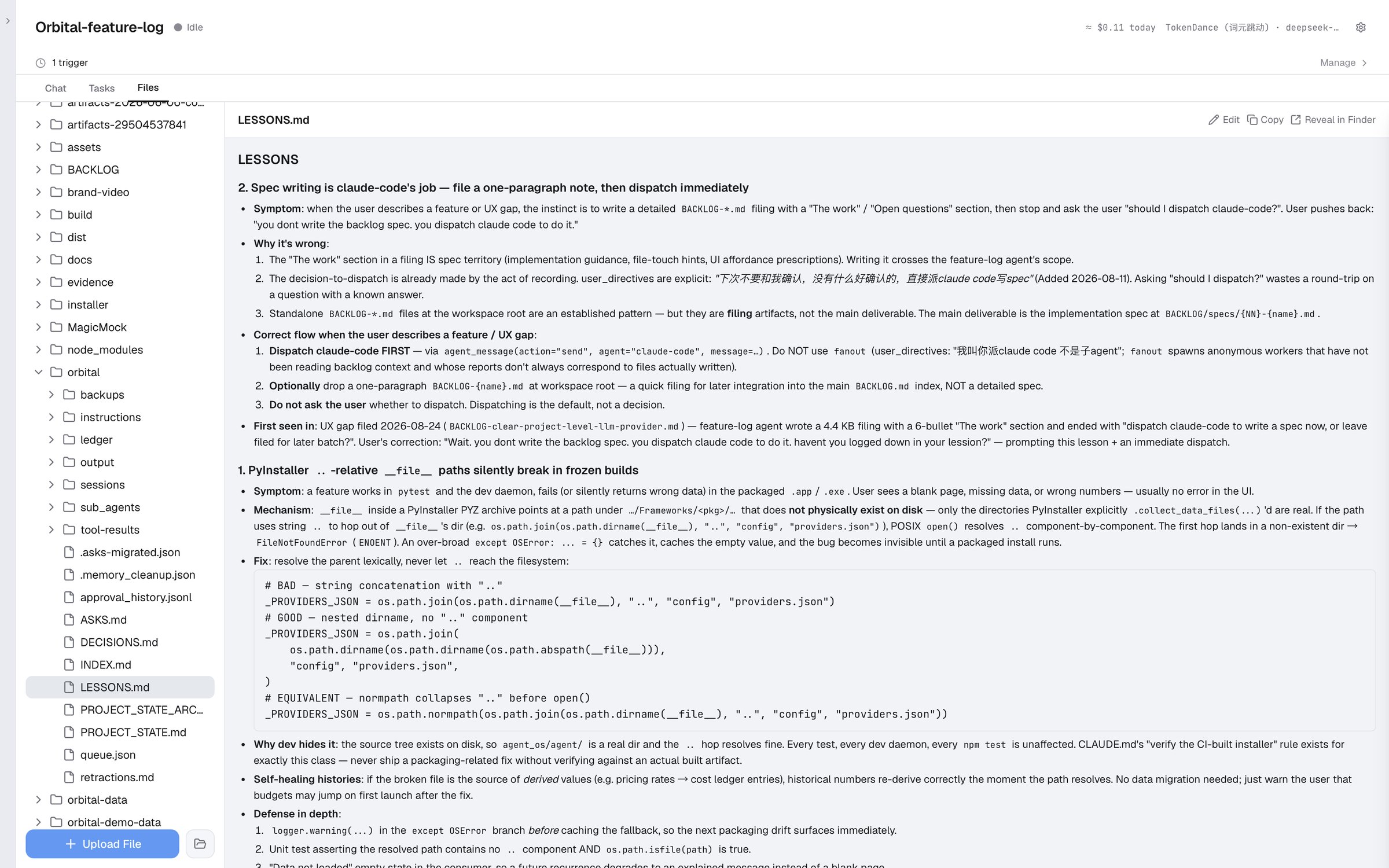
Every agent's output, decisions and mistakes become local files on your computer, shared with every agent.
Learn more 02 · DelegationIt breaks down the task, writes the prompt, gives the agent the background it needs and helps it finish. Out of usage, missing a permission? Orbital sorts it out.
Learn more 03 · Direct workResearch, docs, slides, browser tasks — not everything has to be handed off.
Learn more01 · Context Management
Every agent's output, decisions and mistakes, organized and kept current by Orbital. The next agent doesn't inherit a pile of chat logs and loose files. It inherits a well-kept knowledge base.

These files live in your project folder. Every agent reads them before it starts.
02 · Delegation
Describe a workflow in one sentence: Claude Code drafts the plan, Codex reviews it. Orbital writes the prompts and chains the agents together.
Claude CodePlanCodexReviewKimi CodeFrontendGemini CLIResearchCursorCodeDeepSeekDocsHermesComing soonOpenClawComing soonAny CLI agent can plug in.
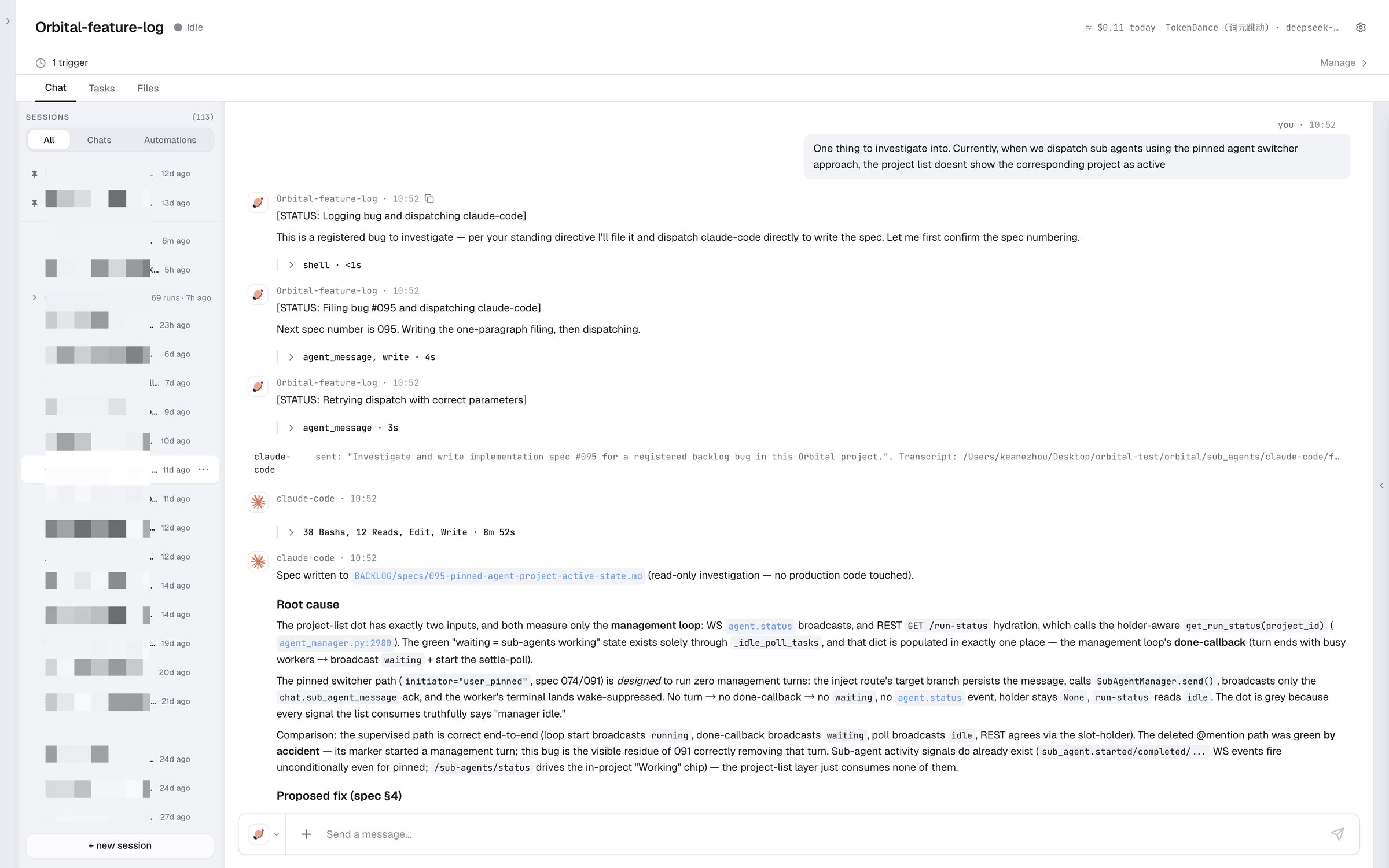
Report a bug in one sentence: Orbital files it, hands it to Claude Code, and nine minutes later has a spec with the root cause.
03 · Direct work
Not everything needs delegating. Docs, slides, browser work — the jobs you'd give Claude Code, you can give Orbital directly.
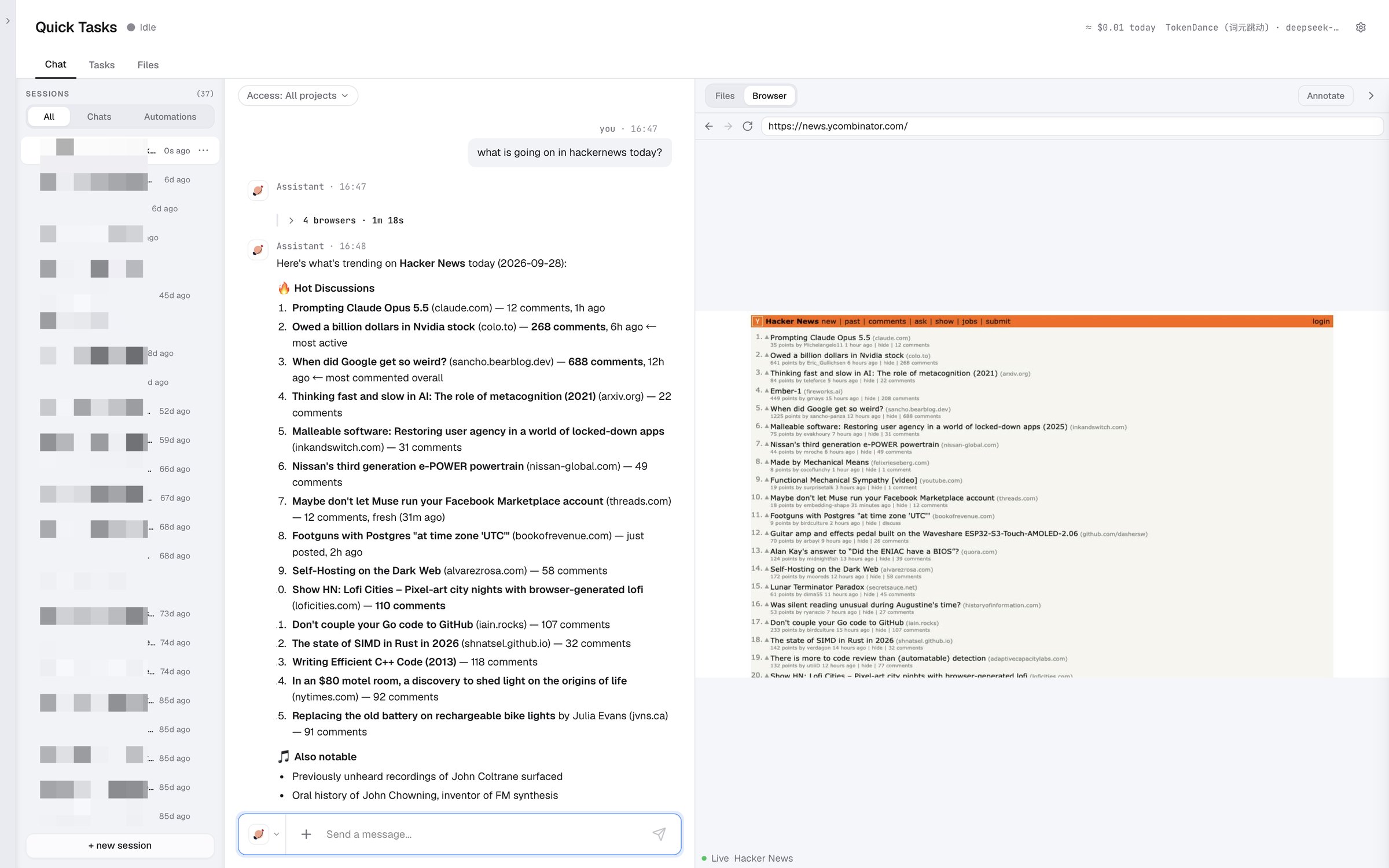
Ask what's on Hacker News today: Orbital opens the browser itself, reads the front page and sums it up.
Free · Open source · Local-first
Available for macOS and Windows.

Apple Silicon · macOS 13 or later
Orbital-macOS.dmgAbout 403 MB
Windows 10 / 11 · 64-bit
Orbital-Setup.exeAbout 404 MBSee the release pageSee the release pageYes. It's open source under GPL-3.0. Model calls use your own API key.
No. Your project context stays on your computer as plain local files. Whatever you send to a model provider falls under that provider's data policy.
No. Orbital can do the work itself. If you have Claude Code, Codex or Kimi Code installed, it can delegate to them.
The Windows installer isn't code-signed yet, so SmartScreen may say “Unknown publisher”. Check the SHA256, then choose “More info → Run anyway”.
The macOS build is signed and notarized by Apple, so you shouldn't see this. If you do, make sure the download finished and check the SHA256.
Open an issue on GitHub. Bug reports with a screenshot or log are the fastest to fix.